
Grocer
Roc WongShopping
0.00.00 Reviews
- Version
- 2.0.7
- Installs
- 100.00K
- Age Rating
- Everyone
Screenshots
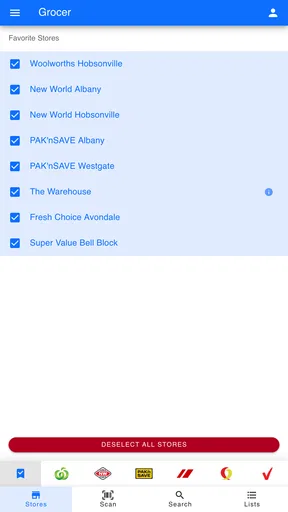
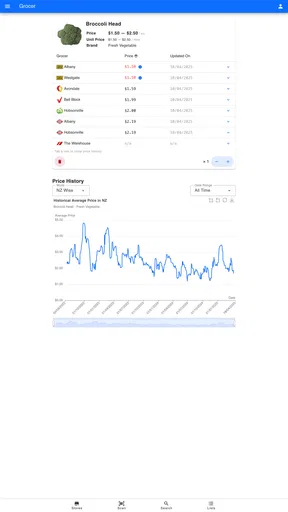
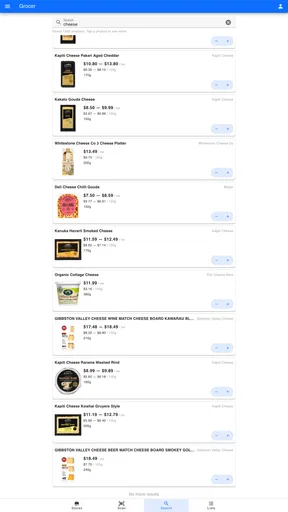
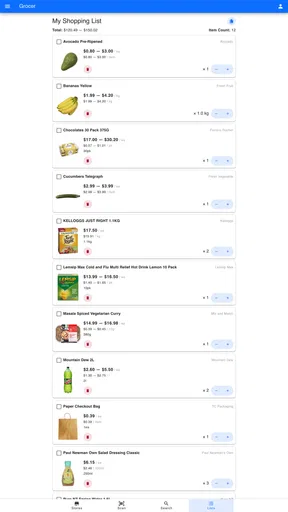
Our Review of Grocer
 Analysis by Appyee
I’d approach Grocer as a simple place to plan a grocery shop, rather than assuming it will handle every part of buying food. It is a free shopping app from developer Roc Wong, aimed at Kiwi shoppers, and its core appeal is easy to understand: keep the things you need in one place and make the trip feel less haphazard. For a first-time user, the useful goal is modest but practical: get a list ready, then use it to avoid relying on memory in the aisle.
What to expect before you start
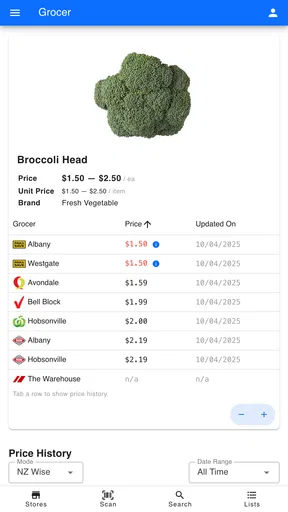
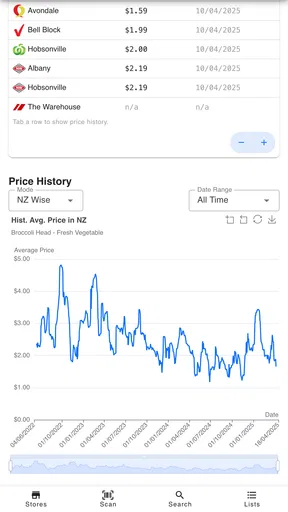
The app’s focus is grocery price comparison, so I would think of it differently from a supermarket’s own ordering app or a general-purpose notes app. A retailer app is usually best when you already know where you intend to shop and want to browse that store’s range. A notes app can hold a list, but it does not have the same shopping-specific purpose. Grocer is for people who want help comparing grocery costs in New Zealand and making a more considered choice about where their shopping goes.
That focus also sets a sensible expectation: comparison is most valuable when you have a reasonably clear idea of what you buy. If you are only looking for a quick way to jot down a couple of items, a basic list may be enough. If you regularly shop for a household, are willing to check prices before heading out, or want a clearer basis for choosing between shops, a comparison-focused tool is more relevant.
Getting ready for a useful first visit
I’d begin by choosing a small, familiar group of groceries rather than trying to plan an entire household shop at once. Include items you buy repeatedly, such as pantry staples and everyday essentials, so you have a meaningful set of products to compare. This makes the first session easier to judge: you can see whether the app helps with the decisions you actually make, not just with an imaginary perfect shopping list.
It also helps to think about what counts as a fair comparison for you. The cheapest option is not always the best fit if the size, type, or brand is different from what your household uses. When comparing, I’d check that I am considering like-for-like products and keep an eye on pack size. A lower shelf price can be misleading if it buys less, or if switching to that product would mean buying something nobody at home wants.
Grocer is free to download and is rated for Everyone. It was released on May 6, 2022, and version 2.0.7 requires Android 7.0 or later. The app has over 100,000 installs, while its average rating is currently 0.0, so I would treat that rating as limited guidance rather than as a strong verdict from a broad base of user feedback. Optional in-app purchases are listed at $2.99 per item, which is worth bearing in mind if you prefer to keep all app spending at zero.
First Impressions and Features
Right off the bat, Grocer greets you with a clean and intuitive interface. Navigating through the app is a breeze, and I immediately felt like I had a personal shopping assistant in my pocket. The design is not too flashy, which I appreciate—it’s all about functionality here.
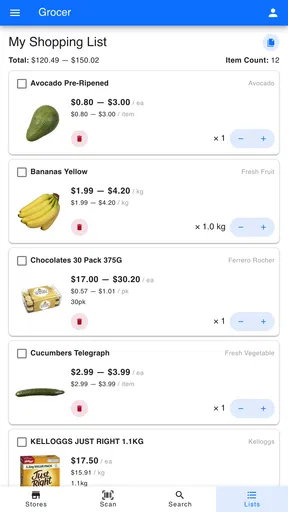
One of the standout features of the app is its ability to create and manage shopping lists. You can either type in the items you need or, if you’re feeling a bit lazy like me, just use the voice input feature. It’s surprisingly accurate, even with my weird accent!
Making the first comparison count
My first useful step would be to turn a normal grocery run into a small experiment. Before leaving home, I’d make a shortlist of regular purchases, check the available comparisons, and note which differences might actually change my decision. The aim is not to chase every possible saving; it is to find out whether the information helps me make a better choice without adding more work than the trip is worth.
A practical way to do this is to separate fixed choices from flexible ones. If your household needs a particular ingredient or product, treat that as a must-buy and compare only suitable alternatives. For items where you are open to switching, a lower-cost option may be worth considering. This avoids a common trap in price comparison: counting a cheaper product as a win even though it does not meet the need on your list.
For a realistic example, imagine I am shopping after work and need breakfast basics, lunch supplies, and a few items for dinner. I would check the prices for the products I buy most often before leaving, then focus on those when comparing. If the app makes one or two choices clearer, that is already a worthwhile result; I do not need to rebuild my whole routine around it on the first day.
Smart Suggestions and Customization
If you’re like me and often forget to add essentials to your list, the app’s smart suggestion feature is a lifesaver. It learns your shopping habits and suggests items based on your previous purchases. It’s like the app just knows I’m going to forget the milk again!
Customization is another area where Grocer shines. You can categorize items, set priorities, and even add quantities. I found this particularly handy because it helped me stick to my budget and resist those impulse buys. Plus, there’s a nifty feature where you can add store-specific notes, so you’ll remember which aisle has your favorite brand of cereal.
Using comparisons without letting them take over
For repeat shopping, I’d treat comparison as a planning aid rather than a rule that every item must be optimized. A short list of recurring purchases can be more useful than checking every product in the trolley, especially when I am in a hurry. It gives me a way to spot patterns over time while keeping the actual shop manageable.
There is a trade-off, though: comparison takes attention. If I am already standing in a queue or rushing between errands, checking options for every item may be more frustrating than helpful. I would do the deliberate work at home or during a calm moment, then use the result to guide the shop. That is a better fit for this kind of app than expecting it to make every decision automatically.
I would also keep personal preferences in the decision. A household may care about familiar brands, dietary needs, pack sizes, or convenience as much as the displayed price. Grocer is most useful when it helps me see a choice more clearly, not when I assume that the lowest figure should always win.
Seamless Integration and Syncing
What makes this app even more convenient is its ability to sync across multiple devices. Whether you’re using a phone, tablet, or even your smartwatch, your grocery list is always up-to-date. I tested this feature while shopping with my partner, and it worked like a charm. No more double-buying or forgetting items!
Grocer also integrates with other apps, like calendar and meal planners. Planning a dinner party? You can import your recipes, and Grocer will create a shopping list for you. I tried this out for a weekend barbecue, and it was a game-changer.
Where the familiar alternatives still make sense
If I only need a quick checklist, the phone’s built-in notes app is likely the simpler choice: it is already familiar and does not ask me to think about prices. If I have settled on one supermarket, that store’s own app may be more convenient for browsing its products or handling a shop within that retailer’s system. Grocer makes more sense when the question is whether comparing groceries across options will change where or what I buy.
That difference matters for first-time users. I would not replace a store’s app just because Grocer is designed for comparison, and I would not expect a comparison tool to remove the need to check product details. The best setup may be using Grocer to inform a decision while keeping whatever list or retailer tool already fits the rest of your routine.
Common snags and sensible workarounds
The main source of confusion with grocery comparisons is assuming that every product with a similar name is interchangeable. I would check the size and kind of product before treating prices as a direct match. If the comparison does not line up with what I normally buy, I would skip that comparison rather than force a switch just to save money on paper.
Another useful habit is to keep the first list short and recognizable. If I enter too many unusual items at once, it becomes harder to tell whether the app is genuinely helping or whether I am spending the session organizing. Starting with regular purchases gives me a better test, and I can add less frequent items later when I have a reason to compare them.
I would also make the final decision in context. A cheaper option may not be worthwhile if it requires a separate trip or conflicts with the rest of the day’s plans. A price comparison can inform the route, but convenience has value too. For someone with little time, choosing one nearby shop may be the better outcome even when another option looks more attractive on a narrow price check.
Who will get the most from it
I think the app is best suited to Kiwi shoppers who buy a fairly regular set of groceries and are curious whether comparing prices can help them spend more deliberately. It may be especially useful for someone planning a household shop, preparing a recurring weekly list, or trying to keep track of essentials rather than making several unplanned trips. The benefit is less about turning shopping into a project and more about having a clearer starting point.
It is probably not the right fit for someone who wants a full grocery delivery experience, has no interest in comparing prices, or only needs a one-time reminder to pick up a few things. In those cases, a retailer app or a basic checklist may be faster. I would also be cautious about relying on any comparison without checking that the products suit my needs; price alone cannot decide whether an item is the right purchase.
User Experience and Support
Using Grocer feels like chatting with a friend who just wants to make your life easier. The app rarely lags, and I didn’t encounter any bugs during my time using it. It’s a smooth experience, which is essential for an app you’ll use regularly.
Should you run into any hiccups, the support team is just a tap away. There’s a comprehensive FAQ section, and you can reach out to them via email. I had a minor issue with syncing, and they got back to me within a few hours. That’s what I call service!
For anyone wondering whether it is worth trying before committing to a new routine, I would keep the test low-pressure: use a handful of familiar items and see whether the comparisons affect a real shopping choice. The app is free to download, and the listed optional purchases are separate considerations if you decide to explore beyond the basic use that suits you. That gives a first-time user a straightforward way to judge whether the app earns a place in their regular routine.
Final Thoughts
All in all, Grocer is a fantastic app for anyone looking to streamline their grocery shopping experience. It’s packed with features that genuinely make a difference, and the user-friendly design ensures you’ll have a stress-free time managing your shopping lists.
Whether you’re a busy parent, a college student, or just someone trying to get organized, Grocer has something to offer. Trust me, once you start using it, you’ll wonder how you ever lived without it. So go ahead, give it a shot—you might just find grocery shopping a little less daunting.
Happy shopping, everyone!
Verdict
Strengths of Grocer
- User-friendly interface for quick navigation.
- Customizable shopping lists with categories.
- Real-time price updates from local stores.
- Barcode scanner for easy product addition.
- Syncs across devices for convenience.
Limitations of Grocer
- Limited store integration in rural areas.
- No option for recurring shopping lists.
- Occasional sync delays between devices.
- Ads can be intrusive during use.
- Requires internet for most features.
Similar Picks in This Category
View All
SHEIN-Shopping Online
Roadget Business PTE. LTD.4.8

Amazon Shopping
Amazon Mobile LLC4.4


Mercado Libre: Compras online
Mercado Libre4.8

Wish: Shop and Save
Wish US Holdings LLC4.7

Alibaba.com - B2B marketplace
Alibaba Mobile4.4
Frequently Asked Questions
What is Grocer and what does it do?
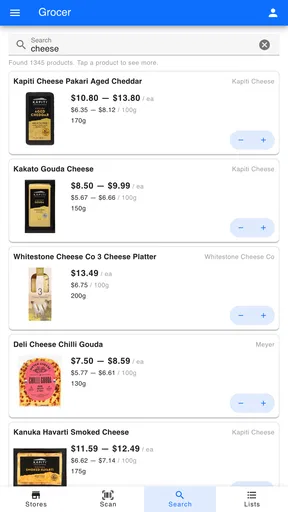
Grocer is a comprehensive app designed to streamline your grocery shopping experience. It allows users to create and manage shopping lists, find and compare prices, and access exclusive deals from various stores. With a user-friendly interface, it also provides recipe suggestions based on the items you purchase.
Is Grocer available on both Android and iOS platforms?
Yes, Grocer is available for both Android and iOS users. You can download it from the Google Play Store for Android devices and the Apple App Store for iOS devices. The app is optimized for both platforms, ensuring a smooth and efficient user experience regardless of the operating system.
Does Grocer offer any features for budget management?
Absolutely, Grocer includes budget management tools to help you track and manage your grocery expenses. You can set a budget for each shopping trip and the app will alert you when you are close to exceeding it. Additionally, it offers insights into your spending patterns over time.
Can I sync my Grocer account across multiple devices?
Yes, Grocer supports account synchronization across multiple devices. By creating an account, you can access your shopping lists and preferences on any device where the app is installed. This feature is particularly useful for families or households sharing grocery responsibilities.
Are there any in-app purchases or subscriptions required to use Grocer?
Grocer offers a free version with basic features, but there are also premium features available through in-app purchases or a subscription model. Premium features may include ad-free browsing, advanced budget tools, and exclusive discounts. These options provide enhanced functionality for users seeking more from the app.
